
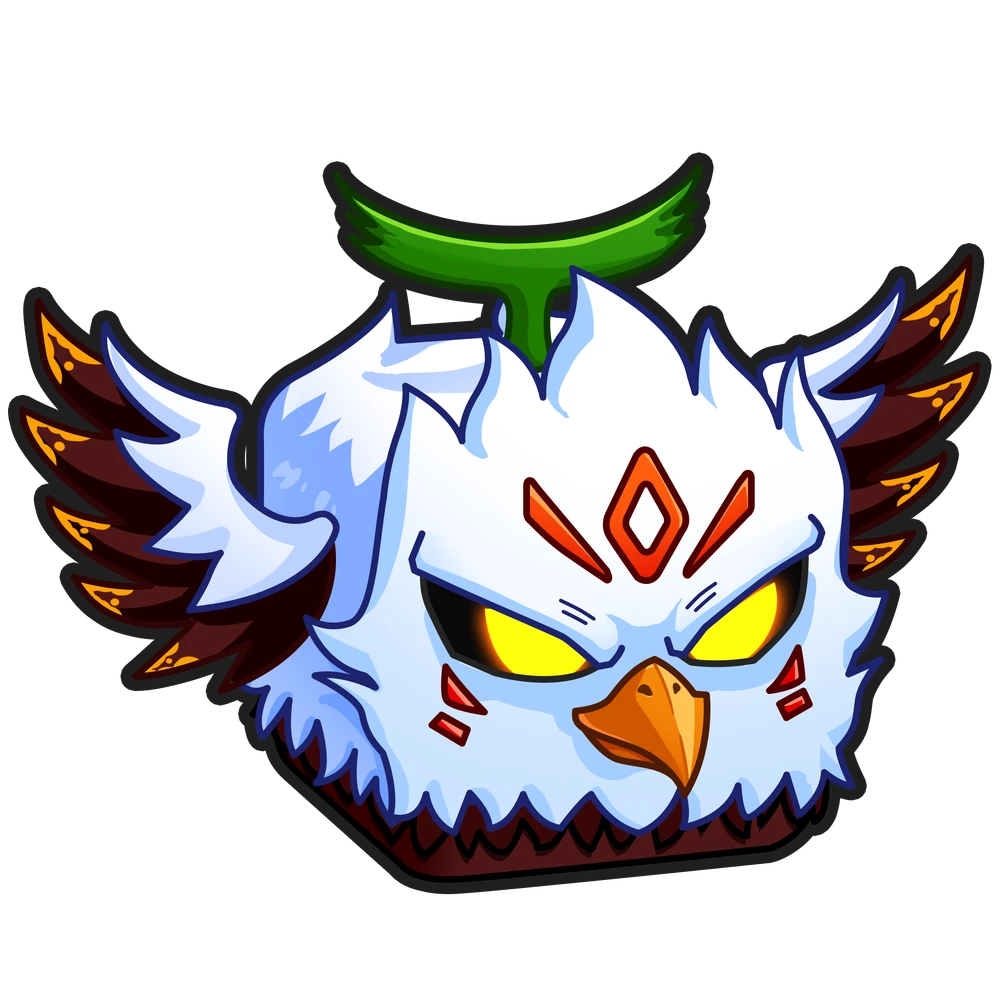
EagleManual delivery

Eagle | Blox Fruits

Fruits

The item will be delivered to this account

About product

🔥 Eagle for Blox Fruits — everything about receiving it is below. ⚠️ TRADING ACCESS REQUIRED: Second Sea (level 700+). Without it the game will not let you receive the item — a restriction that cannot be bypassed. If you do not meet it, do not buy: the order will be cancelled. ❗ PLEASE READ ▪️ No more than 5 trades a day. A game restriction: if you have already traded five times today, the next trade will not start until the counter resets (11:59 PM UTC+8). Buy when your limit is free. ▪️ Make room for the fruit. Your inventory holds one copy of each fruit (more only with the «+1 Fruit Storage» gamepass). With no room the game refuses with «exceeds their fruit limit»: eat, sell or trade away the spare copy and the handover goes through. ▪️ Trading happens at a table in the Kingdom of Rose café (Second Sea, the yellow building near the island centre) or in the mansion at Floating Turtle (Third Sea). There is no «trade» button in the menu: you sit at a table, the seller sits opposite, and the trade window opens by itself. ▪️ This is not automatic. A live seller hands the item over in person. We only buy from sellers whose average handover time fits that window. ▪️ If the Roblox trade window shows a “value difference too large” warning — that is normal: the seller adds their own items so the trade can go through. Accept the trade the way the seller sets it up. 🎁 YOU ARE BUYING ▪️ Product — Eagle ▪️ Class — Rare ▪️ How we deliver — by a live seller in game, usually 30 minutes to an hour 🚀 HOW YOU RECEIVE IT 1. Right after payment open the order chat on GGSel — you will be contacted and guided step by step. 2. The seller gives their nickname. Then accept the friend request from the seller or send your own — whichever they ask in the chat, and they join your server. They may ask you to add a second account of theirs — that is part of the handover. 3. Do the trade in game. Once you have the item, reply “received” in the chat and the order closes. 📝 BEFORE YOU BUY, PREPARE ▪️ Your Roblox login (username), not your in-game display name. They are easy to confuse, and a display name sends the item to another player. Your login is shown in Roblox profile settings. ▪️ Be ready to open Blox Fruits soon, not «later tonight». ▪️ Reply in the order chat — often in English. The trade cannot start without your response. ▪️ ⚠️ You need your own items to trade. The game only allows a trade if the two sides' values differ by no more than 40%. So you give the seller your own items — worth at least ~60% of the item you are buying (for example, for an item worth 1,000,000 you must give ~600,000 of your own: one such item or several adding up). Keep items you don't mind losing ready — without them the trade cannot start. ⏳ TIMING ▪️ Delivery is not instant: a live person hands the item over. ▪️ Timing depends on the seller — usually 30 minutes to an hour. ▪️ If the seller goes quiet we do not wait in silence: we cancel the deal and buy from another one — that adds up to 1.5 hours. ▪️ The hard limit is 3 hours. Not handed over by then — we refund in full. If something goes wrong: the order page shows the status and a support button. Keep your order number. If the seller does not show up or the handover fails, you get a refund. Thanks for choosing us! A review after purchase helps a lot 🙌

Manual delivery

About item

Eagle · Blox Fruits

Other offers

Sellers: 8 · Offers: 9

4.2(44)
Eagle | Blox Fruits

🔥 Eagle for Blox Fruits — everything about receiving it is below. ⚠️ TRADING ACCESS REQUIRED: Second Sea (level 700+). Without it the game will not let you receive the item — a restriction that cannot be bypassed. If you do not meet it, do not buy: the order will be cancelled. ❗ PLEASE READ ▪️ No more than 5 trades a day. A game restriction: if you have already traded five times today, the next trade will not start until the counter resets (11:59 PM UTC+8). Buy when your limit is free. ▪️ Make room for the fruit. Your inventory holds one copy of each fruit (more only with the «+1 Fruit Storage» gamepass). With no room the game refuses with «exceeds their fruit limit»: eat, sell or trade away the spare copy and the handover goes through. ▪️ Trading happens at a table in the Kingdom of Rose café (Second Sea, the yellow building near the island centre) or in the mansion at Floating Turtle (Third Sea). There is no «trade» button in the menu: you sit at a table, the seller sits opposite, and the trade window opens by itself. ▪️ This is not automatic. A live seller hands the item over in person. We only buy from sellers whose average handover time fits that window. ▪️ If the Roblox trade window shows a “value difference too large” warning — that is normal: the seller adds their own items so the trade can go through. Accept the trade the way the seller sets it up. 🎁 YOU ARE BUYING ▪️ Product — Eagle ▪️ Class — Rare ▪️ How we deliver — by a live seller in game, usually 30 minutes to an hour 🚀 HOW YOU RECEIVE IT 1. Right after payment open the order chat on GGSel — you will be contacted and guided step by step. 2. The seller gives their nickname. Then accept the friend request from the seller or send your own — whichever they ask in the chat, and they join your server. They may ask you to add a second account of theirs — that is part of the handover. 3. Do the trade in game. Once you have the item, reply “received” in the chat and the order closes. 📝 BEFORE YOU BUY, PREPARE ▪️ Your Roblox login (username), not your in-game display name. They are easy to confuse, and a display name sends the item to another player. Your login is shown in Roblox profile settings. ▪️ Be ready to open Blox Fruits soon, not «later tonight». ▪️ Reply in the order chat — often in English. The trade cannot start without your response. ▪️ ⚠️ You need your own items to trade. The game only allows a trade if the two sides' values differ by no more than 40%. So you give the seller your own items — worth at least ~60% of the item you are buying (for example, for an item worth 1,000,000 you must give ~600,000 of your own: one such item or several adding up). Keep items you don't mind losing ready — without them the trade cannot start. ⏳ TIMING ▪️ Delivery is not instant: a live person hands the item over. ▪️ Timing depends on the seller — usually 30 minutes to an hour. ▪️ If the seller goes quiet we do not wait in silence: we cancel the deal and buy from another one — that adds up to 1.5 hours. ▪️ The hard limit is 3 hours. Not handed over by then — we refund in full. If something goes wrong: the order page shows the status and a support button. Keep your order number. If the seller does not show up or the handover fails, you get a refund. Thanks for choosing us! A review after purchase helps a lot 🙌

Manual delivery
$0.81
4.9(162)
Eagle | Blox Fruits

Item: Eagle. Game: Blox Fruits (Roblox). ⚠️ TRADING ACCESS REQUIRED: Second Sea (level 700+). Without it the game will not let you receive the item — a restriction that cannot be bypassed. If you do not meet it, do not buy: the order will be cancelled. Terms — No more than 5 trades a day. A game restriction: if you have already traded five times today, the next trade will not start until the counter resets (11:59 PM UTC+8). Buy when your limit is free. — Make room for the fruit. Your inventory holds one copy of each fruit (more only with the «+1 Fruit Storage» gamepass). With no room the game refuses with «exceeds their fruit limit»: eat, sell or trade away the spare copy and the handover goes through. — Trading happens at a table in the Kingdom of Rose café (Second Sea, the yellow building near the island centre) or in the mansion at Floating Turtle (Third Sea). There is no «trade» button in the menu: you sit at a table, the seller sits opposite, and the trade window opens by itself. Buyer requirements — Your Roblox login (username), not your in-game display name. They are easy to confuse, and a display name sends the item to another player. Your login is shown in Roblox profile settings. — Be ready to open Blox Fruits soon, not «later tonight». — Reply in the order chat — often in English. The trade cannot start without your response. — ⚠️ You need your own items to trade. The game only allows a trade if the two sides' values differ by no more than 40%. So you give the seller your own items — worth at least ~60% of the item you are buying (for example, for an item worth 1,000,000 you must give ~600,000 of your own: one such item or several adding up). Keep items you don't mind losing ready — without them the trade cannot start. If something goes wrong: the order page shows the status and a support button. Keep your order number. If the seller does not show up or the handover fails, you get a refund. Delivery time: usually 15 to 45 minutes, hard limit 3 hours: not handed over by then — full refund. Questions — in the order chat. Delivery procedure 1. Right after payment open the order chat on GGSel — you will be contacted and guided step by step. 2. The seller gives their nickname. Then accept the friend request from the seller or send your own — whichever they ask in the chat, and they join your server. They may ask you to add a second account of theirs — that is part of the handover. 3. Do the trade in game. Once you have the item, reply “received” in the chat and the order closes. Thank you for buying at BEBR.

Manual delivery
$0.87
4.6(26)
Eagle | Blox Fruits

Hi! This is Eagle for Blox Fruits. Everything to know before buying is below. ⚠️ TRADING ACCESS REQUIRED: Second Sea (level 700+). Without it the game will not let you receive the item — a restriction that cannot be bypassed. If you do not meet it, do not buy: the order will be cancelled. ✦ important › No more than 5 trades a day. A game restriction: if you have already traded five times today, the next trade will not start until the counter resets (11:59 PM UTC+8). Buy when your limit is free. › Make room for the fruit. Your inventory holds one copy of each fruit (more only with the «+1 Fruit Storage» gamepass). With no room the game refuses with «exceeds their fruit limit»: eat, sell or trade away the spare copy and the handover goes through. › Trading happens at a table in the Kingdom of Rose café (Second Sea, the yellow building near the island centre) or in the mansion at Floating Turtle (Third Sea). There is no «trade» button in the menu: you sit at a table, the seller sits opposite, and the trade window opens by itself. ✦ how it goes 1. Right after payment open the order chat on GGSel — you will be contacted and guided step by step. 2. The seller gives their nickname. Then accept the friend request from the seller or send your own — whichever they ask in the chat, and they join your server. They may ask you to add a second account of theirs — that is part of the handover. 3. Do the trade in game. Once you have the item, reply “received” in the chat and the order closes. ✦ what you'll need › Your Roblox login (username), not your in-game display name. They are easy to confuse, and a display name sends the item to another player. Your login is shown in Roblox profile settings. › Be ready to open Blox Fruits soon, not «later tonight». › Reply in the order chat — often in English. The trade cannot start without your response. › ⚠️ You need your own items to trade. The game only allows a trade if the two sides' values differ by no more than 40%. So you give the seller your own items — worth at least ~60% of the item you are buying (for example, for an item worth 1,000,000 you must give ~600,000 of your own: one such item or several adding up). Keep items you don't mind losing ready — without them the trade cannot start. If something goes wrong: the order page shows the status and a support button. Keep your order number. If the seller does not show up or the handover fails, you get a refund. ⌛ Expect usually 15 to 45 minutes, hard limit 3 hours: not handed over by then — full refund. Questions — in the order chat. ✦ Thanks for visiting Kamorka.

Manual delivery
$0.93
4.9(100)
Eagle | Blox Fruits

Eagle for Blox Fruits (Roblox). ⚠️ TRADING ACCESS REQUIRED: Second Sea (level 700+). Without it the game will not let you receive the item — a restriction that cannot be bypassed. If you do not meet it, do not buy: the order will be cancelled. ✅ WHAT WE NEED FROM YOU • Your Roblox login (username), not your in-game display name. They are easy to confuse, and a display name sends the item to another player. Your login is shown in Roblox profile settings. • Be ready to open Blox Fruits soon, not «later tonight». • Reply in the order chat — often in English. The trade cannot start without your response. • ⚠️ You need your own items to trade. The game only allows a trade if the two sides' values differ by no more than 40%. So you give the seller your own items — worth at least ~60% of the item you are buying (for example, for an item worth 1,000,000 you must give ~600,000 of your own: one such item or several adding up). Keep items you don't mind losing ready — without them the trade cannot start. 🔄 HOW THE HANDOVER GOES 1. Right after payment open the order chat on GGSel — you will be contacted and guided step by step. 2. The seller gives their nickname. Then accept the friend request from the seller or send your own — whichever they ask in the chat, and they join your server. They may ask you to add a second account of theirs — that is part of the handover. 3. Do the trade in game. Once you have the item, reply “received” in the chat and the order closes. ⚠️ IMPORTANT BEFORE YOU PAY • No more than 5 trades a day. A game restriction: if you have already traded five times today, the next trade will not start until the counter resets (11:59 PM UTC+8). Buy when your limit is free. • Make room for the fruit. Your inventory holds one copy of each fruit (more only with the «+1 Fruit Storage» gamepass). With no room the game refuses with «exceeds their fruit limit»: eat, sell or trade away the spare copy and the handover goes through. • Trading happens at a table in the Kingdom of Rose café (Second Sea, the yellow building near the island centre) or in the mansion at Floating Turtle (Third Sea). There is no «trade» button in the menu: you sit at a table, the seller sits opposite, and the trade window opens by itself. If something goes wrong: the order page shows the status and a support button. Keep your order number. If the seller does not show up or the handover fails, you get a refund. ⏱ Timing — usually 15 to 45 minutes, hard limit 3 hours: not handed over by then — full refund. Questions — in the order chat.

Manual delivery
$0.99
5(0)
Eagle | Blox Fruits

Saturday/I accept from 3:30 p.m. to 4:00 a.m. Sunday/I accept from 10:00-12:00 to 22:00 Weekdays from 18:30-22:00

Manual delivery
$1.55
4.9(2775)
Eagle | Blox Fruits

Please provide your username (including the @ symbol). Make sure to enter the username in the format that includes the @ symbol. If you provide an incorrect username, the guarantee will not apply. If you have any questions, please contact us via the website chat.

Manual delivery
$5.93
4.9(1782)
Eagle | Blox Fruits

Permanent Eagle for Blox Fruits (Roblox). Delivered as an in-game gift — no account login needed. How to receive: 1. Enter your Roblox username (login, without "@"). 2. We send Permanent Eagle as a gift to your account. 3. Open Blox Fruits and claim it in the gifts menu. Delivery time: • 08:00–18:30 Moscow time (UTC+3) — usually within an hour; • other hours — up to 12 hours, your order is queued and delivered automatically. Support: 11:00–23:00 Moscow time.

Manual delivery
$7.07
5(242)
Eagle | Blox Fruits

🟨 A few details 🟨 🟨 I’ll need your @username 🟨 I send the item as a gift via Global 🟨 You confirm receipt ▫️ I send the gift to the account you provided; I am not responsible if you provided an account other than your own.

Manual delivery
$7.21
4.9(100)
Eagle | Blox Fruits

Permanent Eagle for Blox Fruits (Roblox). ⚠️ TRADING ACCESS REQUIRED: Second Sea (level 700+). Without it the game will not let you receive the item — a restriction that cannot be bypassed. If you do not meet it, do not buy: the order will be cancelled. ✅ WHAT WE NEED FROM YOU • Your Roblox login (username), not your in-game display name. They are easy to confuse, and a display name sends the item to another player. Your login is shown in Roblox profile settings. • Be ready to open Blox Fruits soon, not «later tonight». • Reply in the order chat — often in English. The trade cannot start without your response. • ⚠️ You need your own items to trade. The game only allows a trade if the two sides' values differ by no more than 40%. So you give the seller your own items — worth at least ~60% of the item you are buying (for example, for an item worth 1,000,000 you must give ~600,000 of your own: one such item or several adding up). Keep items you don't mind losing ready — without them the trade cannot start. 🔄 HOW THE HANDOVER GOES 1. Right after payment open the order chat on GGSel — you will be contacted and guided step by step. 2. The seller gives their nickname. Then accept the friend request from the seller or send your own — whichever they ask in the chat, and they join your server. They may ask you to add a second account of theirs — that is part of the handover. 3. Do the trade in game. Once you have the item, reply “received” in the chat and the order closes. ⚠️ IMPORTANT BEFORE YOU PAY • No more than 5 trades a day. A game restriction: if you have already traded five times today, the next trade will not start until the counter resets (11:59 PM UTC+8). Buy when your limit is free. • Make room for the fruit. Your inventory holds one copy of each fruit (more only with the «+1 Fruit Storage» gamepass). With no room the game refuses with «exceeds their fruit limit»: eat, sell or trade away the spare copy and the handover goes through. • Trading happens at a table in the Kingdom of Rose café (Second Sea, the yellow building near the island centre) or in the mansion at Floating Turtle (Third Sea). There is no «trade» button in the menu: you sit at a table, the seller sits opposite, and the trade window opens by itself. If something goes wrong: the order page shows the status and a support button. Keep your order number. If the seller does not show up or the handover fails, you get a refund. ⏱ Timing — usually one to one and a half hours, hard limit 3 hours: not handed over by then — full refund. Questions — in the order chat.

Manual delivery
$13.66